
The following diagrams explain each part of the BlackVue dashcam.
Main box
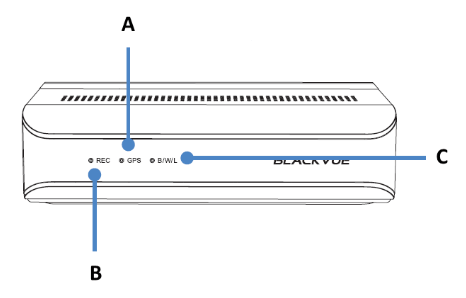
A) GPS LED:
 : Lights blue when GPS is on.
 : Blinks blue slowly when GPS is turning off.
B) Recording LED:
 : Lights orange in normal mode.
 : Lights red when (i) an event is being recorded (impact detected), or (ii) manual recording has started.
 : Lights green in parking mode when motion is detected.
C) Bluetooth/ Wi-Fi/ LTE LED:
 : Lights yellow when LTE is connected.
 : Lights white when Wi-Fi is connected.
 : Blinks yellow slowly when Bluetooth is paired.
 : Blinks yellow quickly when Bluetooth is in pairing mode.

A) Lock
SOS Button
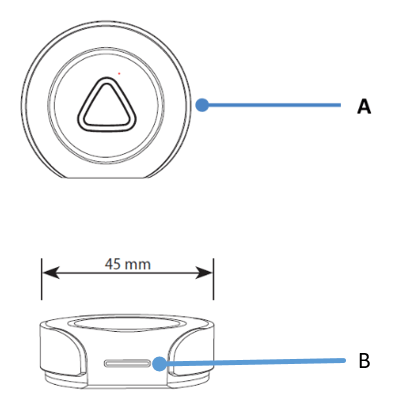
A) Emergency Button
B) LED indicator:
: Blinking green light when inserting battery for the first time.
: Blinking green light when button is pressed.
:Blinking red and green lights when connecting to main unit.
: Blinking red light when voltage is low.
Front Camera
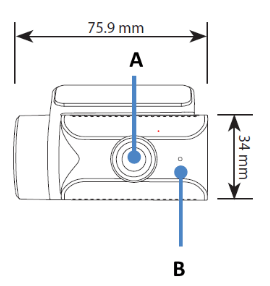
A) Camera Lens
B) Front security LED:
: Lights on during (i) normal mode, (ii) an event is being recorded (impact detected), (iii) manual recording has started, or (iv) motion is detected in parking mode.
 : Blinks slowly during parking mode motion detection standby.
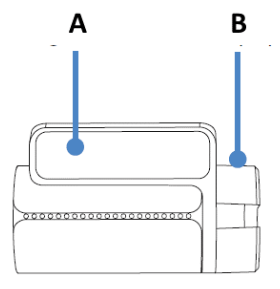
A) Mounting bracket
B) Tamperproof case

A) Main unit connection port
B) Tamperproof case
Rear Camera
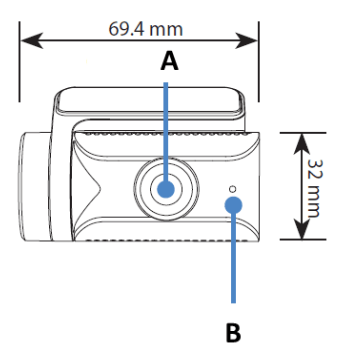
A) Camera Lens
B) Front security LED:
: Lights on during (i) normal mode, (ii) an event is being recorded (impact detected), (iii) manual recording has started, or (iv) motion is detected in parking mode.
: Blinks slowly during parking mode motion detection standby.

A) Mounting bracket
B) Tamperproof case

A) Main unit connection port
B) Tamperproof case
Rear Infrared Camera

A) Tamperproof case
B) Camera lens
C) Illumination sensor
D) IR LED
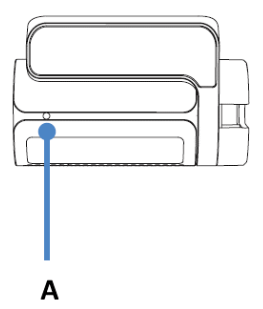
A) Rear Security LED
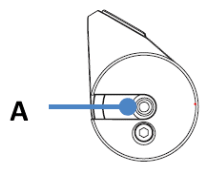
A) V Out (Main unit connection port)
DMS Camera
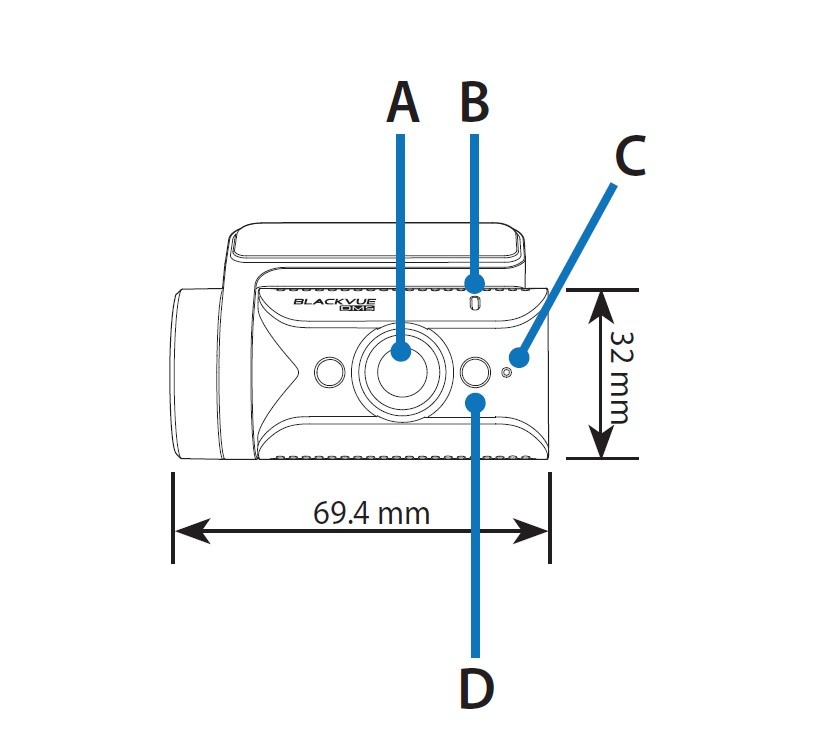
A) Camera Lens
B) Illumination sensor
C) Front security LED:
: Blinks white quickly when the DMS is calibrating.
: Lights white when the DMS is available.
D) IR LED
Rear truck Camera

A) Illumination Sensor
B) Angle lock screw
C) Camera lens
D) Main unit connection port
E) External mounting bracket
F) IR LED


