
DMS Calibration
Why do we need calibration ?
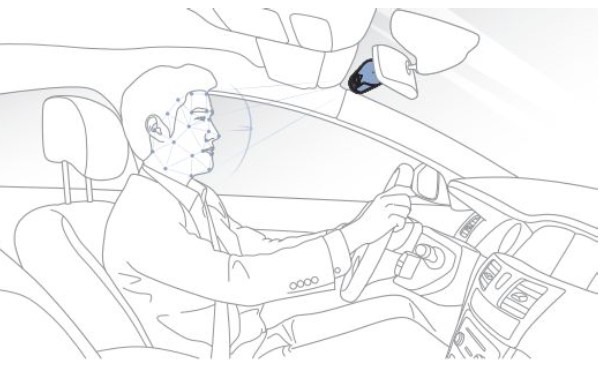
To utilize AI-based DMS features, calibration process must be preceded to enable DMS. The calibration process is intended to improve the accuracy of driver recognition since driver’s physical condition (height and eye size), driving position vary from person to person.
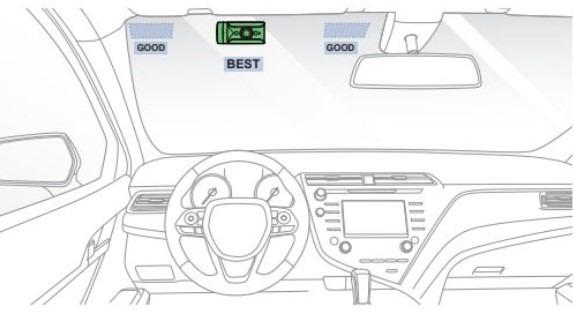
- Complete installation of DMS camera and Front camera.
- Turn on the engine, DMS boots up with “DMS On” voice alert.
- Adjust the camera angle if necessary to ensure the driver’s head is within the camera. Failure to do so may affect the camera angle and the DMS may not operate appropriately. (Please check your face through “Live view” via Wi-Fi direct or BlackVue Cloud)
- DMS Calibration is required for ‘Distraction’ only.
- When DMS calibration starts, White LED blinks for 30 secs when GPS detected speed exceeds 30km/h.
- When DMS calibration is completed, White LED turns on.
- When DMS is enabled, the device can recognize Driver’s behavior. (Drowsiness, Distraction, Seatbelt, Undetected)
 Note
Note
- DMS Calibration is required for ‘Distraction’ only.
- During calibration process, the DMS camera is being recorded.
- Every time DMS camera starts, calibration operates. and it can re-calibrate automatically while driving.


