
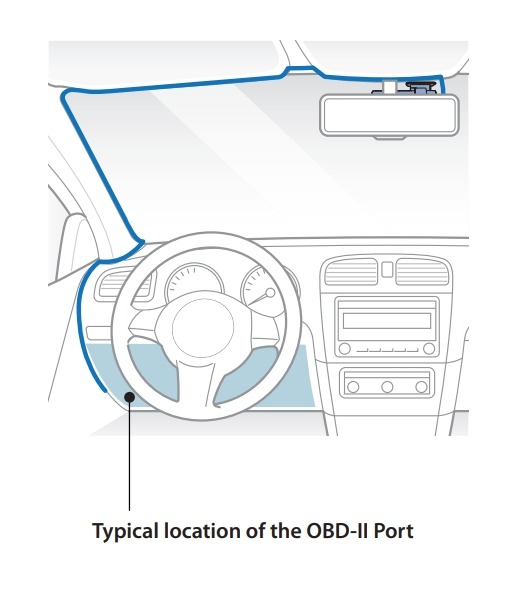
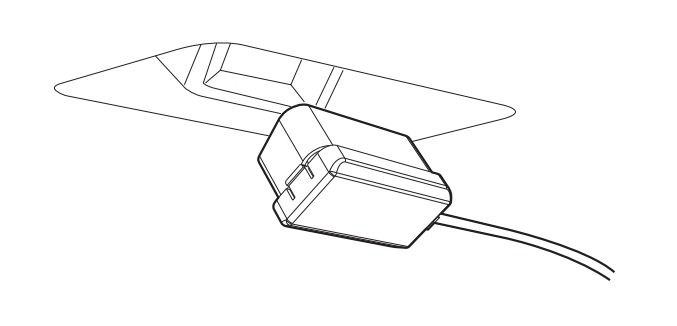
1).Locate the OBD-II Port and Plug in the OBD II Power Cable
The OBD-II Port is normally located just below the driver-side interior fuse panel (location may depend on your vehicle)
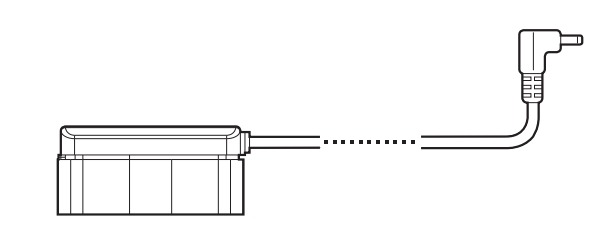
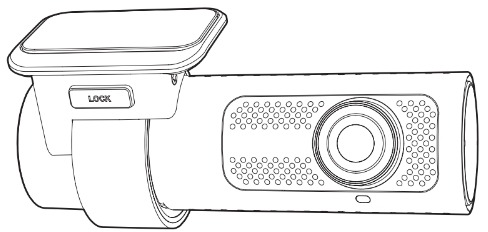
2).Plug the OBD II Power Cable to the Dashcam’s DC-in port
Neatly run the OBD II Power Cable to the Dashcam’s position and plug it into the Dashcam
3). Start the vehicle
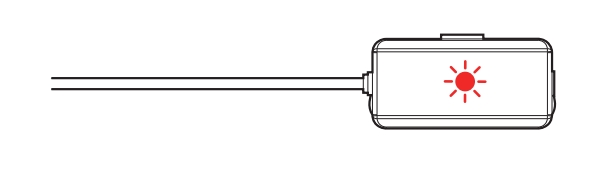
The OBD II Power Cable’s LED is will be on( Red)
4). How to enter parking mode
Step1: With the OBD II power cable connected to the vehicle
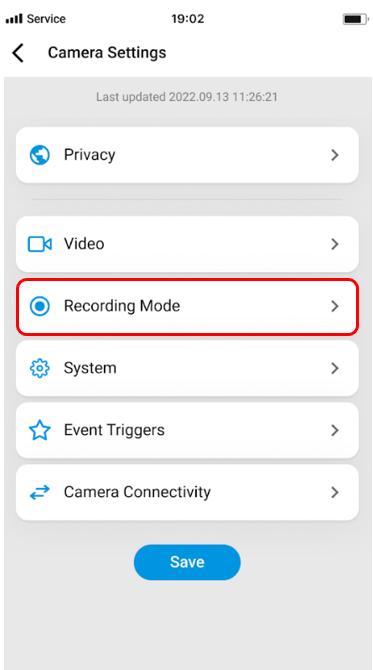
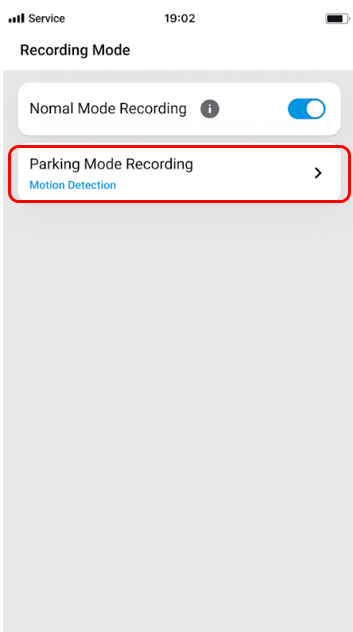
Step2: Select the desired parking mode option (Motion and Impact Detection Mode or Time Lapse Mode) in the BlackVue App

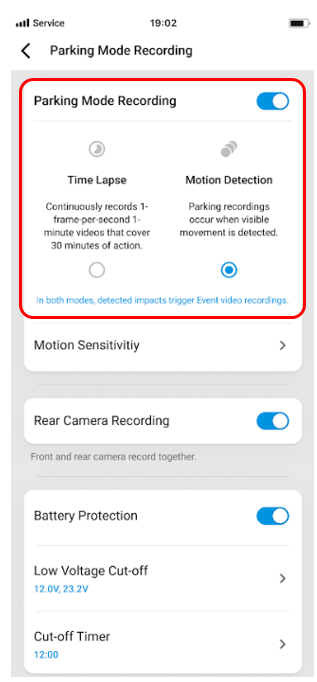
Step3: Parking and turn off the engine
The OBD II Power cable will enter the parking mode of your choice.
5). After buying a new vehicle, reset the OBD II Power cable on the new vehicle as shown below to continue using it.
Step 1: Turn on the ignition of your new vehicle.
Step 2: Plug the OBD II Power Cable into the OBD-II port of your vehicle.
Step 3: When the OBD II Power Cable LED turns ON and OFF, remove the OBD II Power Cable.
Repeat the process of Step2/Step3 above 3 times the OBD II Power Cable’s LED blinks quickly and it’s fixed as a red light calibration is complete and can be used normally.


