
You could follow the Steps below to install CPL-2 on Dashcam.
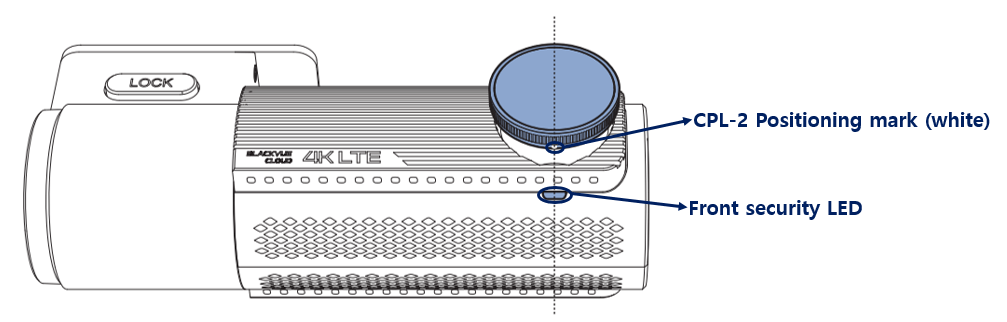
Step1 : Remove the dashcam from the dashcam mount and Prepare.
Step2: Check if there is dust on both the CPL filter and the dashcam lens. (If there is dust ,use lens cleaner and wipe it)
Step3: Align the CPL Filter positioning mark(white)with the Front Security LED on the bottom of the dashcam lens.
Step4: Recheck if there CPL filter is dust before installing the Dashcam. (If there is dust ,use lens cleaner and wipe it)
Step5: Put the dashcam back on the mount and adjust its angle to your preference.


