
The following diagrams explain each part of the BlackVue dashcam.
Main box #
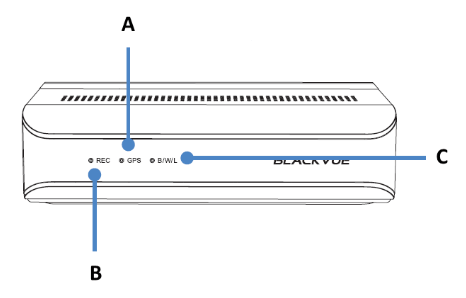
A) GPS LED:
 : Lights blue when GPS is on.
 : Blinks blue slowly when GPS is turning off.
B) Recording LED:
 : Lights orange in normal mode.
 : Lights red when (i) an event is being recorded (impact detected), or (ii) manual recording has started.
 : Lights green in parking mode when motion is detected.
C) Bluetooth/ Wi-Fi/ LTE LED:
 : Lights yellow when LTE is connected.
 : Lights white when Wi-Fi is connected.
 : Blinks yellow slowly when Bluetooth is paired.
 : Blinks yellow quickly when Bluetooth is in pairing mode.

A) Lock
SOS Button #
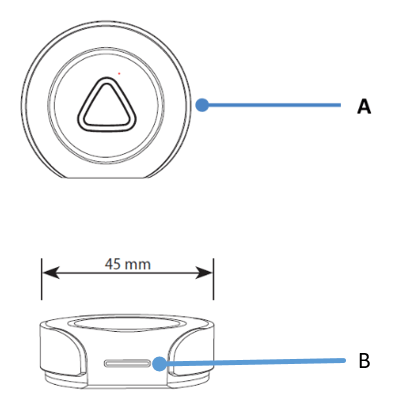
A) Emergency Button
B) LED indicator:
: Blinking green light when inserting battery for the first time.
: Blinking green light when button is pressed.
:Blinking red and green lights when connecting to main unit.
: Blinking red light when voltage is low.
Front Camera #
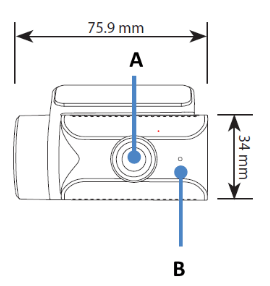
A) Camera Lens
B) Front security LED:
: Lights on during (i) normal mode, (ii) an event is being recorded (impact detected), (iii) manual recording has started, or (iv) motion is detected in parking mode.
 : Blinks slowly during parking mode motion detection standby.
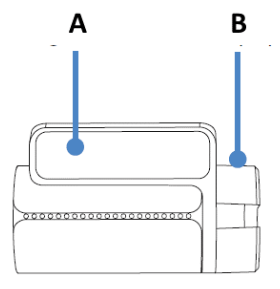
A) Mounting bracket
B) Tamperproof case

A) Main unit connection port
B) Tamperproof case
Rear Camera #
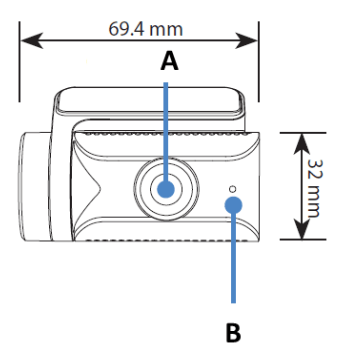
A) Camera Lens
B) Front security LED:
: Lights on during (i) normal mode, (ii) an event is being recorded (impact detected), (iii) manual recording has started, or (iv) motion is detected in parking mode.
: Blinks slowly during parking mode motion detection standby.

A) Mounting bracket
B) Tamperproof case

A) Main unit connection port
B) Tamperproof case
Rear Infrared Camera #

A) Tamperproof case
B) Camera lens
C) Illumination sensor
D) IR LED
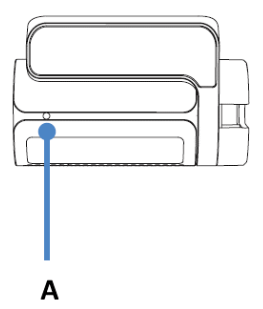
A) Rear Security LED
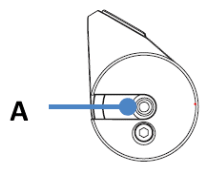
A) V Out (Main unit connection port)
DMS Camera #
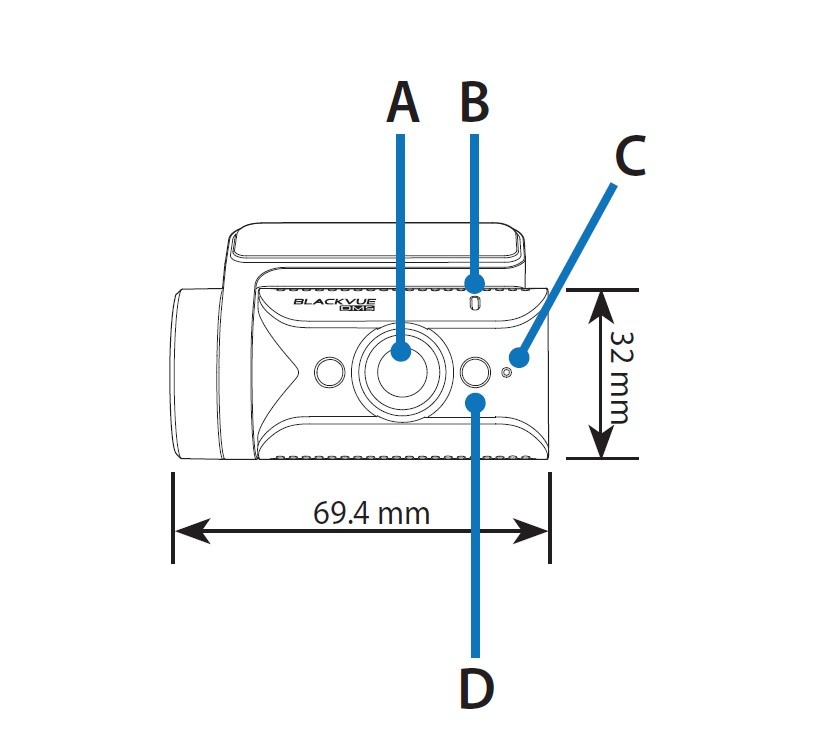
A) Camera Lens
B) Illumination sensor
C) Front security LED:
: Blinks white quickly when the DMS is calibrating.
: Lights white when the DMS is available.
D) IR LED
Rear truck Camera #

A) Illumination Sensor
B) Angle lock screw
C) Camera lens
D) Main unit connection port
E) External mounting bracket
F) IR LED


